
How to Choose the Best Linux Distribution
Whether you’re a power user or just getting started, there are specific Linux distributions that can fit you best. Let’s dive in and find a distro that matches your experience level and elevates your computing life.
Marcus Johnson
Site Reliability Engineer (SRE)
Oct 26, 2025
3 min read
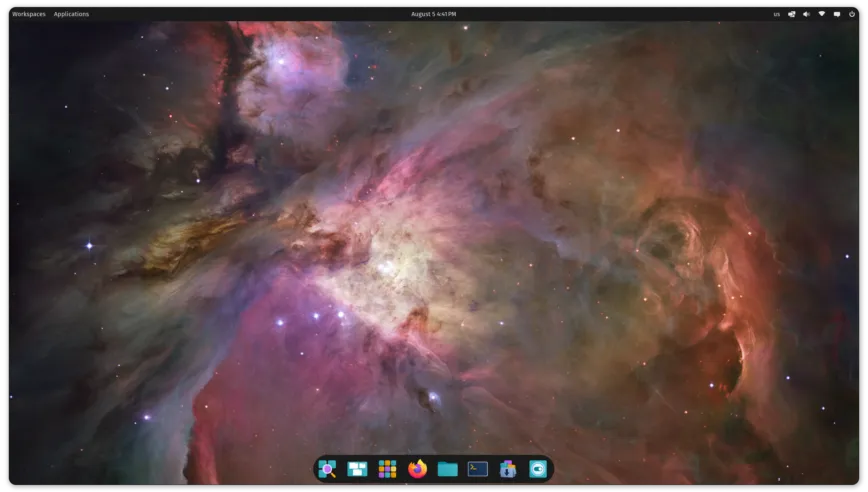
The first rule to remember: “the best Linux distro for me” may not be “the best Linux distro for you.”
Best Linux Distributions for Beginners
Ideal for anyone who wants quick access to Linux with lots of software/apps—without touching the command line. Or maybe you just want an easy way to try Linux.
Recommended options:
- Manjaro – A user-friendly desktop OS based on Arch. Expect an intuitive installer, automatic hardware detection, a stable rolling-release model, multi-kernel installs, handy graphics-driver scripts, and deep desktop customization.
- Ubuntu – A complete desktop OS with huge community support. Its beginner-friendly download flow highlights system requirements, live-USB guides, and switching from Windows or macOS.
- Pop!_OS – Ubuntu-based with a customized GNOME from System76. Great for newcomers thanks to hundreds of helpful videos and a growing library of how-tos.
- Linux Mint – Ubuntu-based and “ready out of the box” with codecs, DVD playback, browser plugins, and a polished desktop experience. Compatible with Ubuntu repositories.
Best Linux Distributions for Experienced Users
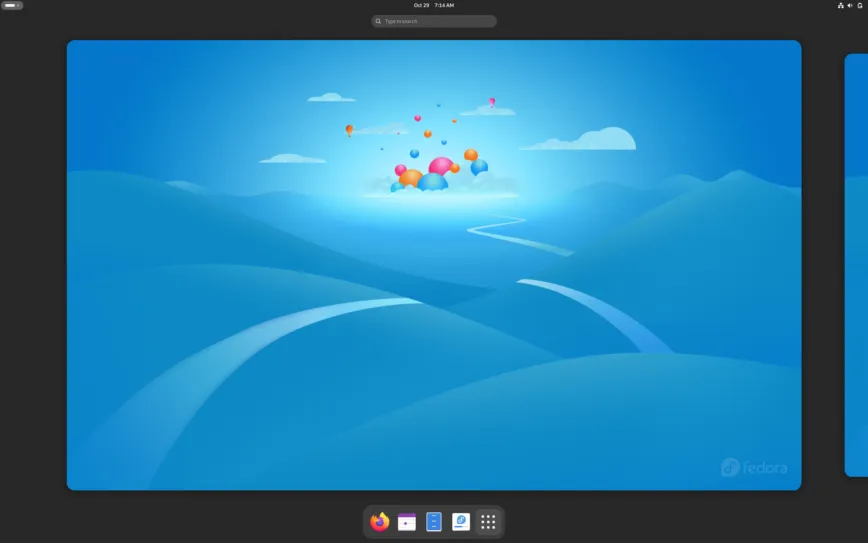
These distros ship leaner defaults. You’ll tinker a bit more—but that’s the fun part.
- Fedora – Community-driven and upstream to RHEL. Fast-moving, FOSS-focused, and available as tailored Spins for gaming, security, design, science, robotics, and more.
- Debian – Over 60,000 free packages, thoughtfully curated. Want a livelier cadence? Try Testing or Sid.
- openSUSE – Usability for newcomers and veterans alike, plus a developer-friendly packaging workflow. Tumbleweed offers a rolling-release option.
- Solus – From-scratch distro centered on desktops (Budgie, GNOME, Plasma, MATE). Budgie is a standout, clean and efficient.
Honorable mention: antiX – fast, lightweight, and easy to install.
Best Linux Distributions for Experts
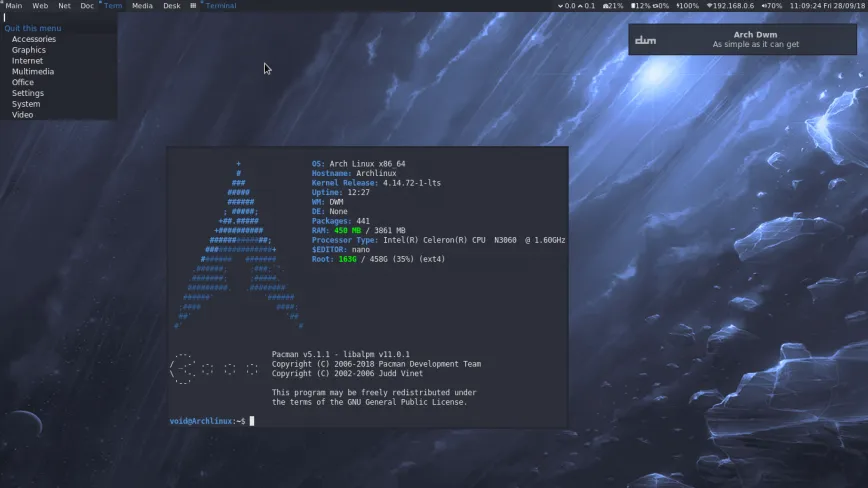
These emphasize minimalism, control, and flexibility. You get exactly what you ask for—no more, no less.
- Arch Linux – For competent users who want a rolling base with pacman, the Arch Build System, and the vast AUR.
- Gentoo – Source-based with Portage; compile and optimize for your exact hardware and preferences.
- Slackware – Traditional, stable, and straightforward, yet fully capable—from desktops to servers—complete with dev tools and multiple DEs.
- Kali Linux – Debian-based rolling distro for penetration testing, forensics, and security work, with a comprehensive toolset.
Bonus: Unique Linux Distributions
For tinkerers who love customization, efficiency, and understanding how things work:
- Linux From Scratch: a guide (not a distro) to build your own system from source.
- CRUX: lightweight, simple, Slackware-like, minimal automation.
- Void Linux: fast rolling release with its own xbps package manager.
- Calculate Linux: Gentoo-based, optimized, live-boot friendly.
- Alpine Linux: security-minded, tiny footprint (musl + BusyBox), great for minimal systems and containers.
- Bedrock Linux: a meta-distro that lets you mix components from multiple distros.
If lower-end hardware is holding you back, try Lubuntu, EndeavourOS, or Linux Lite.
Choose, Click, Deploy: Linux Images Available on BrainHost
If you want to skip ISO wrangling and get straight to a production-ready server or lab box, BrainHost offers one-click images for today’s popular server distros. Pick your flavor, boot in minutes, and scale globally on fast VPS nodes.
Debian Family (APT)
- Debian 11 (Bullseye) – Minimal base; add what you need via APT.
- Debian 12 (Bookworm) – Minimal base; install packages quickly with APT.
- Debian 13 (Trixie) – Minimal base on ext4; manage everything with APT.
Ubuntu LTS (APT)
- Ubuntu Server 20.04 LTS (Focal Fossa) – Minimal install; grow with APT.
- Ubuntu Server 22.04 LTS (Jammy Jellyfish) – Minimal, stable, long support.
- Ubuntu Server 24.04 LTS (Noble Numbat) – Minimal, current toolchains, APT.
RHEL-Compatible (DNF/YUM)
- CentOS 7 – Minimal base using Yum.
- CentOS Stream 9 – Base install using DNF (yum), rolling-ahead model.
- Rocky Linux 8 / 9 / 10 – Minimal/base images with DNF (yum), community-led RHEL compatibility.
- AlmaLinux 9 / 10 – Latest base images, DNF (yum), enterprise-grade RHEL compatibility.
- Oracle Linux 9 – Minimal base, DNF (yum); engineered for high-performance enterprise workloads.
Fedora & openSUSE
- Fedora 41 / 42 – Minimal bases with DNF (yum); cutting-edge stacks.
- openSUSE Leap 15 – Minimal base with Zypper; enterprise-friendly stability.
With BrainHost you start lean (minimal/base images) and install exactly what your workload needs—web stacks, databases, container runtimes, CI agents—using your distro’s native package manager (APT, DNF/Yum, or Zypper).
Why Deploy on BrainHost?
- Global Regions & Fast Networking – Low-latency regions for users worldwide.
- Clean Minimal Images – Skip bloat; build the stack you want.
- Predictable Pricing – VPS plans sized for dev boxes to production clusters.
- Developer-Friendly – SSH by default, cloud-init/userdata, snapshots, and backups.
- Scale When Ready – Resize plans, add volumes, and spin up more nodes as you grow.
Ready to try? Spin up Debian, Ubuntu, Rocky, AlmaLinux, Fedora, openSUSE, or Oracle Linux on BrainHost and go from idea to running server in minutes.
Conclusion
Picking the “best” Linux distribution is subjective—it depends on your needs. Consider ease of use, hardware compatibility, community support, and software availability.
Whether you’re a beginner or an expert, there’s a distro for you. The best distro is the one where you feel most comfortable and productive, so test a few before you decide.
I hope this quick guide helps you narrow it down. Many distribution descriptions were adapted from DistroWatch—great for deeper research. Which Linux distribution do you consider the best?
Tags: archlinux, debian, desktop, distro, linux
Tags
Marcus Johnson
Site Reliability Engineer (SRE)
Site Reliability Engineer with expertise in monitoring and incident response.
Related Articles

10 Cheapest VPS Providers in 2026 (Affordable & Reliable)
Discover the 10 cheapest VPS providers in 2026. Compare affordable VPS hosting options and find reliable VPS servers for developers, startups.

How to Set Up Web Hosting on a VPS: Beginner Guide (2026)
Learn how to set up web hosting on a VPS in 2026. Step-by-step guide for beginners, plus a real-world BrainHost use case.

Best VPS for AI Agents in 2026 Developer Guide
Compare the best VPS for AI agents in 2026. Learn what developers need for deploying autonomous agents, OpenClaw workflows, and scalable AI automation on VPS.
BrainHost - A reliable VPS hosting platform offering high-performance virtual servers with advanced management capabilities.