
How to Set Up Web Hosting on VPS (Beginner-Friendly Guide for 2026)
Marcus Johnson
Site Reliability Engineer (SRE)
Mar 20, 2026
8 min read
If you've outgrown shared hosting or want full control over performance, web hosting on VPS is one of the smartest upgrades you can make in 2026. It offers better speed, stronger isolation, and far more flexibility—without the high cost or complexity of dedicated servers.
This guide is written for beginners. You don't need to be a system administrator or Linux expert. We'll walk through what VPS web hosting is, why it matters, and how to set it up step by step, with practical tips that work for modern websites, SaaS projects, blogs, and AI tools.
What Is Web Hosting on a VPS?
Web hosting on VPS (Virtual Private Server) means your website runs on a virtualized server with dedicated CPU, RAM, and storage, instead of sharing resources with hundreds of other users.
Unlike shared hosting, a VPS gives you:
- Root or admin-level access
- Predictable performance
- Full control over software and configuration
- Better security isolation
In simple terms, VPS web hosting sits between shared hosting and dedicated servers, offering the best balance of power, control, and cost.
Why Choose Web Hosting on a VPS in 2026?
In 2026, websites are heavier, more dynamic, and more performance-sensitive than ever. AI tools, real-time APIs, headless CMSs, and modern JavaScript frameworks all demand more control.
Here's why web hosting on VPS makes sense today:
1. Performance You Can Rely On
Your resources are reserved. Traffic spikes from launches, ads, or viral posts won't be slowed down by other users.
2. Stronger Security
Isolation reduces the risk of your site being affected by vulnerabilities on neighboring accounts.
3. Flexibility for Any Stack
Run WordPress, Next.js, Laravel, Python, Docker containers, or custom AI services—your VPS supports it all.
4. Cost-Effective Scaling
You can start small and upgrade CPU, RAM, or storage without migrating to a new server.
What You Need Before Setting Up VPS Web Hosting
Before diving in, make sure you have:
- A VPS plan (Linux-based servers are most common)
- A domain name
- Basic familiarity with SSH (copy–paste commands are enough)
- A clear idea of what you're hosting (blog, landing page, SaaS, API, etc.)
No advanced Linux knowledge is required for this guide.
Step-by-Step: How to Set Up Web Hosting on a VPS
Step 1: Connect to Your VPS
Most VPS providers give you an IP address, username, and password or SSH key.
You connect using SSH:
- Windows: PowerShell or Windows Terminal
- macOS / Linux: Terminal
Once connected, you're inside your VPS.
Step 2: Update the Server
Keeping your server updated is critical for security and stability.
You'll typically run system update commands to ensure all packages are current. This reduces vulnerabilities and improves compatibility with modern web software.
Step 3: Install a Web Server (Nginx or Apache)
Your web server handles incoming requests and serves your website.
- Nginx: Lightweight, fast, ideal for modern VPS setups
- Apache: Flexible and beginner-friendly, widely supported
In 2026, Nginx is often preferred for VPS web hosting due to better performance and lower memory usage.
Step 4: Install Your Runtime or CMS
What you install next depends on what you're hosting:
- WordPress → PHP + MySQL/MariaDB
- Static or Jamstack site → Just Nginx
- SaaS / AI app → Node.js, Python, or Docker
This is where VPS hosting shines: you're free to choose the exact stack your project needs.
Step 5: Point Your Domain to the VPS
Update your domain's DNS records:
- Set an A record pointing to your VPS IP address
- Wait for DNS propagation (usually minutes, sometimes up to 24 hours)
Once complete, your domain will load content from your VPS.
Step 6: Enable HTTPS (SSL)
HTTPS is mandatory in 2026—for SEO, security, and user trust.
Most VPS setups use free SSL certificates that can be installed and renewed automatically. After this step, your site will load securely over HTTPS.
Step 7: Optimize and Secure Your VPS
For production-ready web hosting on a VPS, you should:
- Enable a firewall
- Disable unused services
- Set up automatic security updates
- Configure backups
These steps ensure your site stays fast, stable, and secure over time.
Common Mistakes Beginners Make with VPS Web Hosting
Avoid these pitfalls:
- Choosing too small a VPS plan for traffic-heavy sites
- Forgetting backups
- Running everything as root
- Skipping SSL and security hardening
A properly configured VPS doesn't need daily maintenance—but skipping basics can cause problems later.
VPS Web Hosting vs Shared Hosting
For serious projects, VPS hosting clearly wins in terms of performance, security, and control. While shared hosting may be cheaper initially, a VPS provides the reliability and flexibility needed for growing websites and modern applications.
Is Web Hosting on a VPS Right for You?
Web hosting on a VPS is ideal if you:
- Run a growing website or online business
- Need consistent performance
- Want full control over your environment
- Plan to deploy modern frameworks or AI tools
If you're running a personal blog with very low traffic, shared hosting may still be enough. Otherwise, a VPS is a future-proof choice.
How BrainHost Simplifies Web Hosting on VPS
Traditional VPS web hosting often comes with a learning curve: manual server setup, complex configurations, and ongoing maintenance. This is where BrainHost takes a different approach.
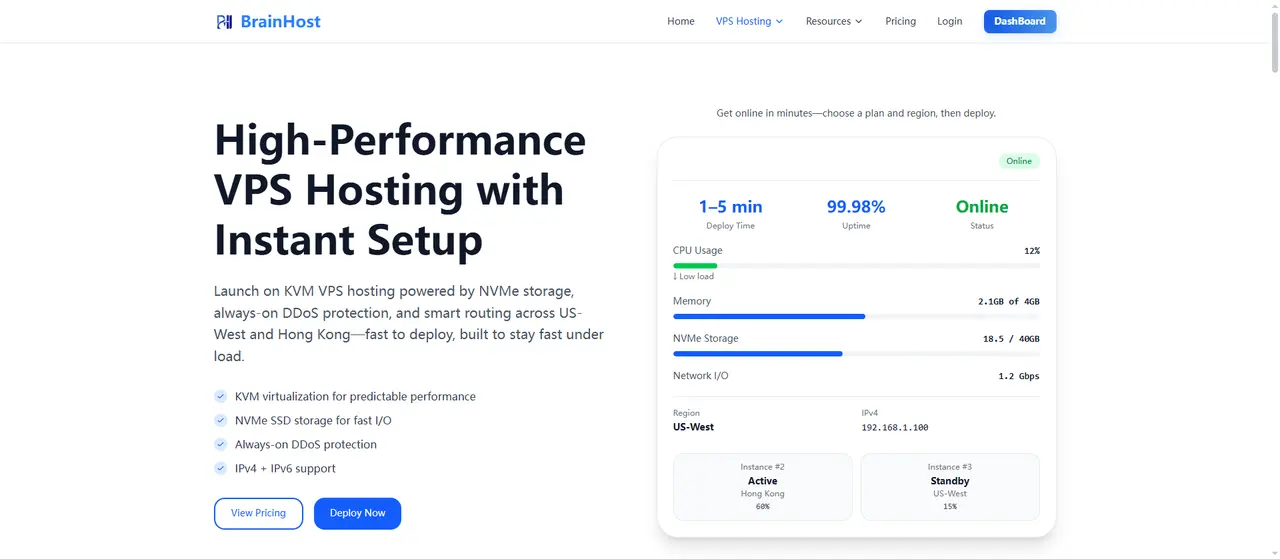
BrainHost is designed for builders, developers, and modern teams who want the power of VPS web hosting without the usual operational burden.
With BrainHost, you get:
- Pre-configured VPS environments optimized for web hosting
- One-click deployments for popular stacks and applications
- Predictable performance with dedicated resources
- Global-ready infrastructure suitable for users in the US, Europe, and Asia-Pacific
- Developer-friendly workflows that work well with AI tools, SaaS products, and landing pages
Instead of spending hours setting up Nginx, runtimes, firewalls, and SSL manually, BrainHost helps you move from idea to live website much faster—while still keeping full VPS-level control.
This makes BrainHost a strong choice if you want web hosting on a VPS that scales with your project, not your stress level.
Real-World Use Case: Web Hosting on VPS with BrainHost
To better understand how web hosting on VPS works in practice, let's look at a real-world scenario using BrainHost.
Use Case: Launching an AI Landing Page on VPS
A small startup team wants to launch an AI-powered landing page to validate a new product idea. Their requirements are clear:
- Fast global loading speed for international users
- Full control over the tech stack (custom scripts, analytics, APIs)
- Ability to scale traffic quickly if the product gains traction
- Minimal time spent on server setup and maintenance
With traditional VPS web hosting, this would typically involve:
- Manually configuring the server
- Installing and tuning a web server
- Setting up SSL, firewall rules, and runtime environments
Using BrainHost, the workflow is much simpler:
- The team provisions a VPS optimized for web hosting
- A pre-configured deployment environment is launched
- The landing page is deployed with HTTPS enabled by default
- The site is live within minutes, not hours
The result is a production-ready website running on a VPS with dedicated resources, predictable performance, and room to scale—all without deep system administration work.
This example reflects how BrainHost turns complex VPS web hosting tasks into a streamlined, beginner-friendly process while preserving the flexibility developers need.
When BrainHost Is the Right Choice
BrainHost is especially well-suited if you:
- Want VPS-level performance without deep system administration work
- Are building SaaS products, AI tools, or high-performance landing pages
- Need reliable web hosting on a VPS for production workloads
- Plan to scale traffic without migrating providers later
If your goal is long-term growth with minimal friction, BrainHost bridges the gap between simplicity and power.
Final Thoughts
In 2026, web hosting on VPS is no longer just for advanced developers. With platforms like BrainHost, beginners and professionals alike can deploy fast, secure, and scalable websites without unnecessary complexity.
If you care about performance, control, and future-proof infrastructure, setting up web hosting on a VPS—and choosing the right platform to manage it—can make a measurable difference in how your website grows.
Tags
Marcus Johnson
Site Reliability Engineer (SRE)
Site Reliability Engineer with expertise in monitoring and incident response.
Related Articles

10 Cheapest VPS Providers in 2026 (Affordable & Reliable)
Discover the 10 cheapest VPS providers in 2026. Compare affordable VPS hosting options and find reliable VPS servers for developers, startups.
Hostinger vs BrainHost: Best VPS for Performance & Design? (2026)
Compare Hostinger vs BrainHost 2026: Pricing, performance, landing page & logo tools. Discover why BrainHost's KVM VPS suits power users & beginners.
Practical VPS Guide for Engineers: From Hobby to Production
A comprehensive guide for engineers covering VPS fundamentals, virtualization stack, practical use cases, best practices for networking, storage, security, and building a production-ready system.
BrainHost - A reliable VPS hosting platform offering high-performance virtual servers with advanced management capabilities.